Making Image Conversion Simple.
Web Application · UI/UX · Product Development
A Simple Tool for a Practical Task
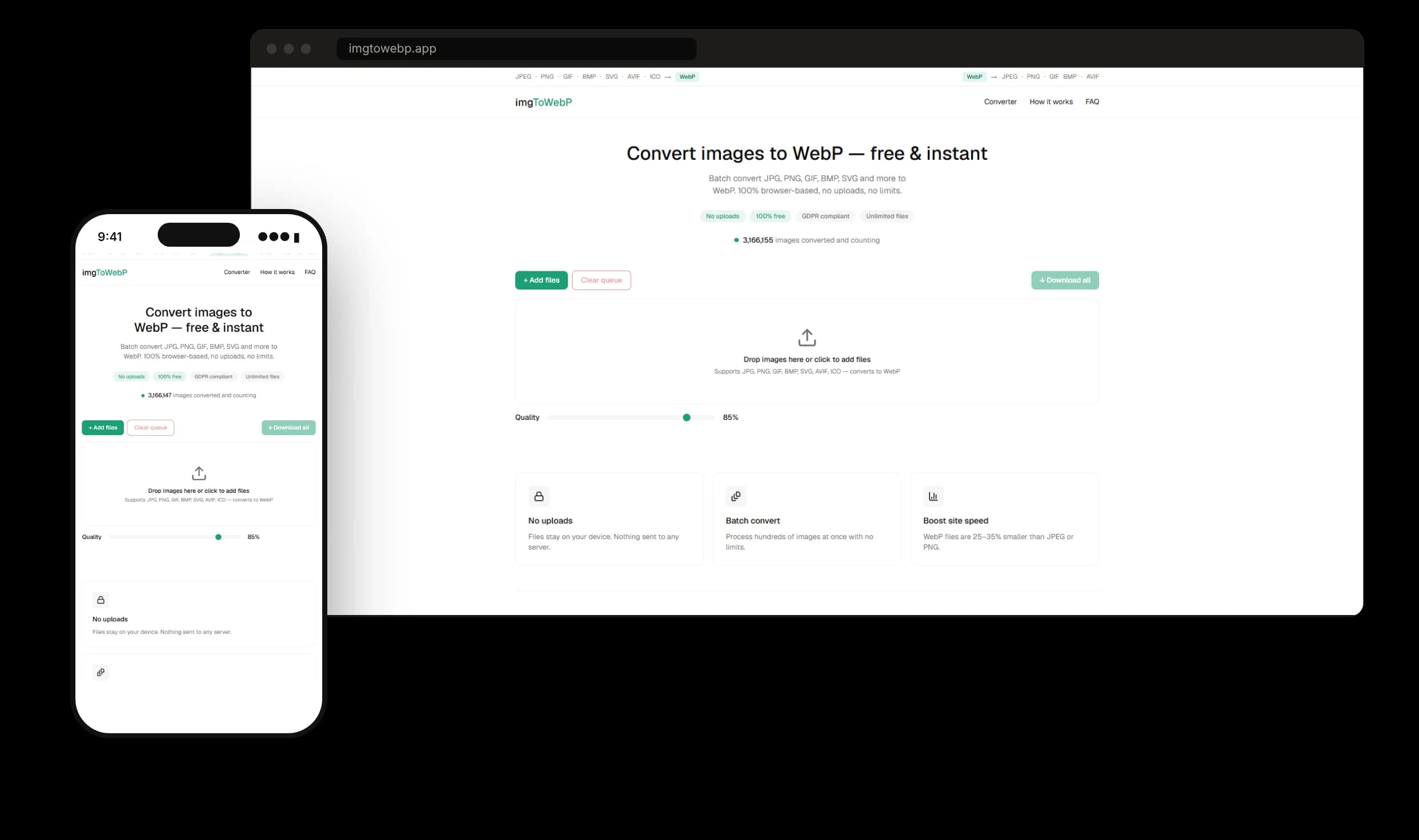
imgToWebP.app is a browser-based image conversion tool designed to simplify the process of converting images between supported formats. Its interface brings file selection, quality controls, and download actions together in one streamlined experience.
Make a Technical Task Feel Effortless.
Image conversion tools need to make a technical task feel effortless.
Users should be able to select images, manage multiple files, adjust quality, and access their converted files without unnecessary complexity.
A Workflow That Feels Natural
The product experience centers on a clear, task-focused interface. A prominent upload area guides users into the workflow, while the file queue, quality controls, and download actions help keep the process organized.
Select
Add images
Configure
Set quality
Convert
Process files
Download
Save results
Everything the Task Needs, Nothing More
Drag-and-drop upload
Image upload with a drag-and-drop interface
Multi-file workflow
Add and manage several images at once
Adjustable quality
Control output quality before converting
Individual downloads
Save each converted file on its own
Batch download
Download all converted files together
Responsive layouts
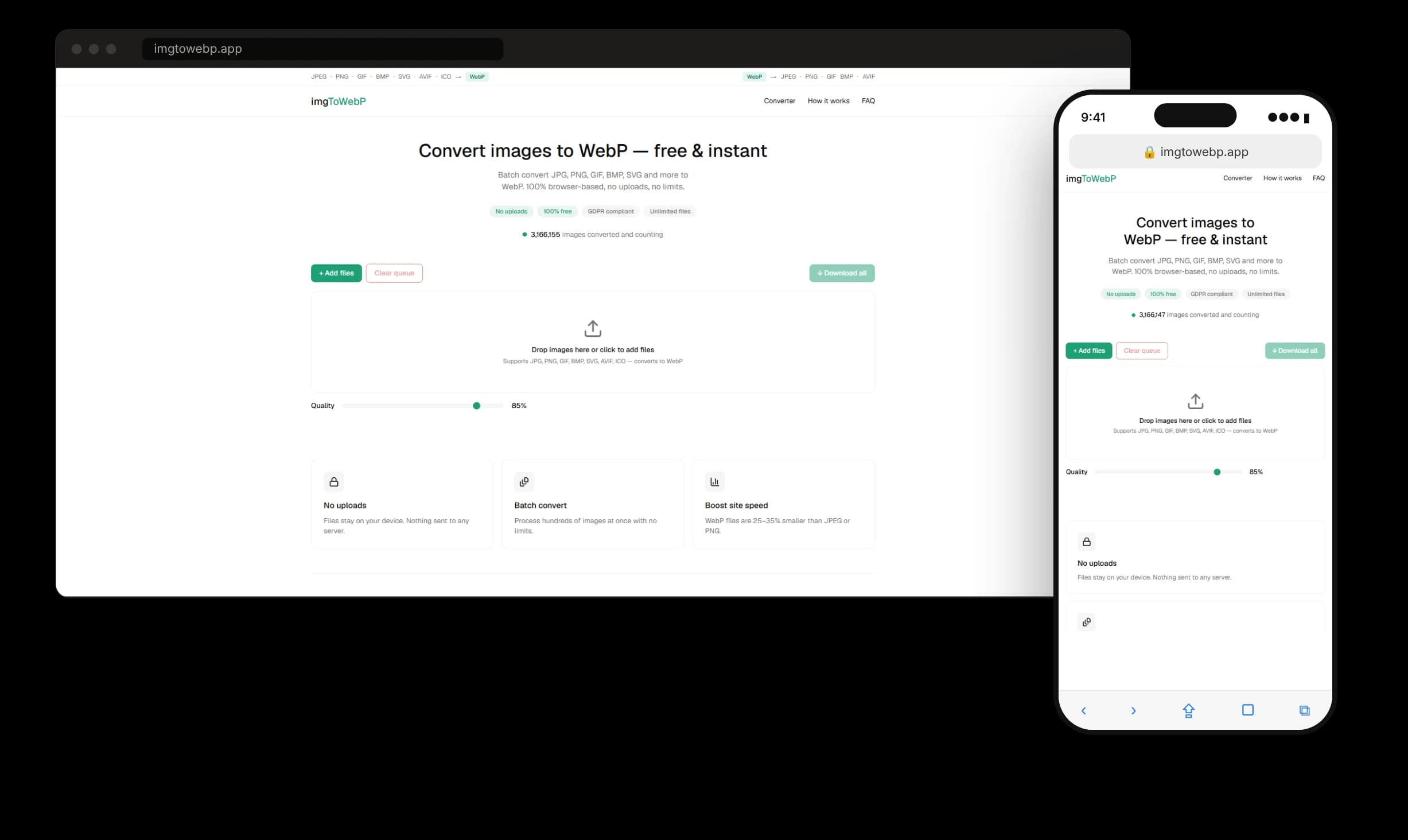
Designed for desktop and mobile screens
A Clear Interface on Every Screen
The interface prioritizes clarity, usability, and a straightforward visual hierarchy. Key actions remain easy to identify, while image previews help users understand and manage their selected files.
Built on a Modern Web Stack
The application is built with Next.js, React, TypeScript, and Tailwind CSS. Conversion runs entirely in the browser, so files never leave the user's device. The tool converts images between formats, including JPG, PNG, GIF, BMP, SVG, AVIF, ICO, and WebP.
- Framework
- Next.js
- UI library
- React
- Language
- TypeScript
- Styling
- Tailwind CSS
A Focused Product, Built Around the Task
The result is a focused image-conversion product with a clear interface and a workflow built around practical user needs.
- Product
- imgToWebP.app
- Presentation
- Orlin Agency
- Contribution
- UI/UX design and development